

When building a Magento site, it sometimes becomes apparent that the three default image positions aren’t enough to get by; some sites will need additional positions. Thankfully, Magento allows for this by being able to add an additional image position using the Attributes feature.
Throughout this tutorial, click any image to enlarge.
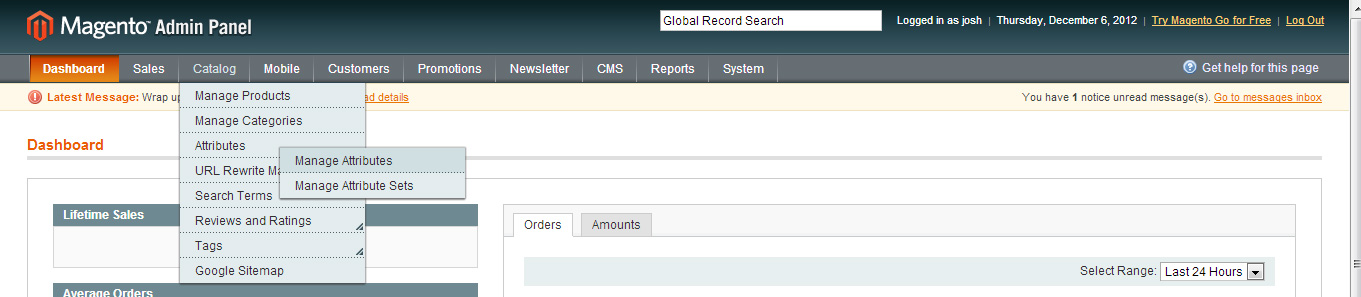
Hover on “Catalog,” then “Attributes,” then click “Manage Attributes.”
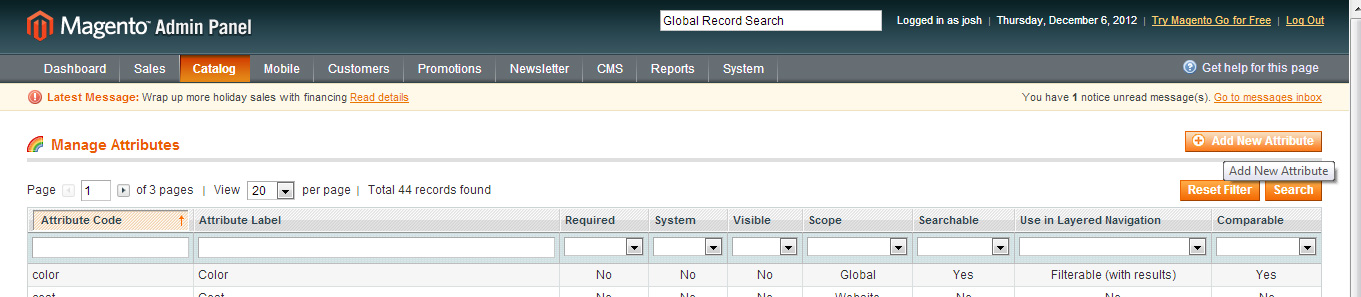
Click “Add New Attribute” on the right side.
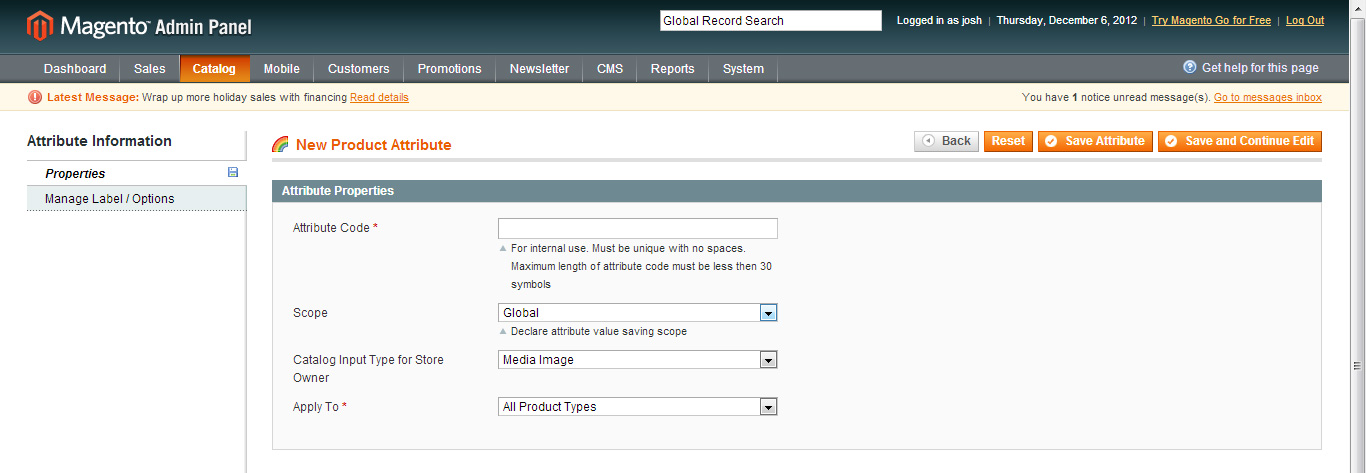
Give your attribute an attribute code (for internal use), set the store level you’re using it for (or Global if you want it everywhere), and then under “Catalog Input Type for Store Owner” choose “Media Image.” If you’re using it on all product types keep “All Product Types,” but if you’re only using it for a certain type of product (say, a downloadable product), you can specify that here.
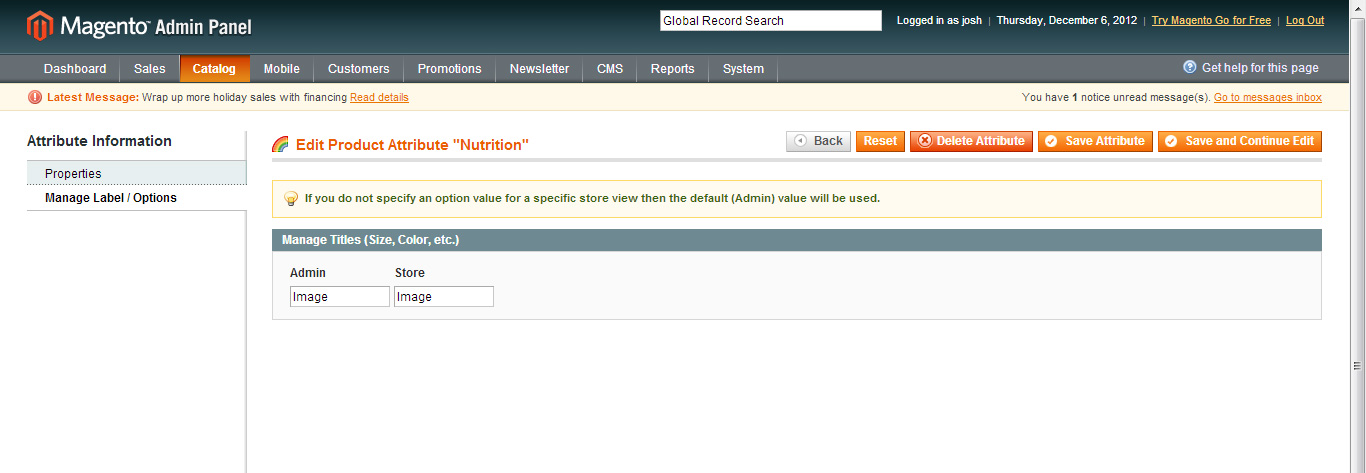
On the second tab (Manage Label/Options), give the image position a name that will appear in various places, such as the admin. Then click “Save Attribute” to save the attribute.

To see the image get added to the products section of the admin, hover on “Catalog,” then “Attributes,” then click “Manage Attribute Sets.”
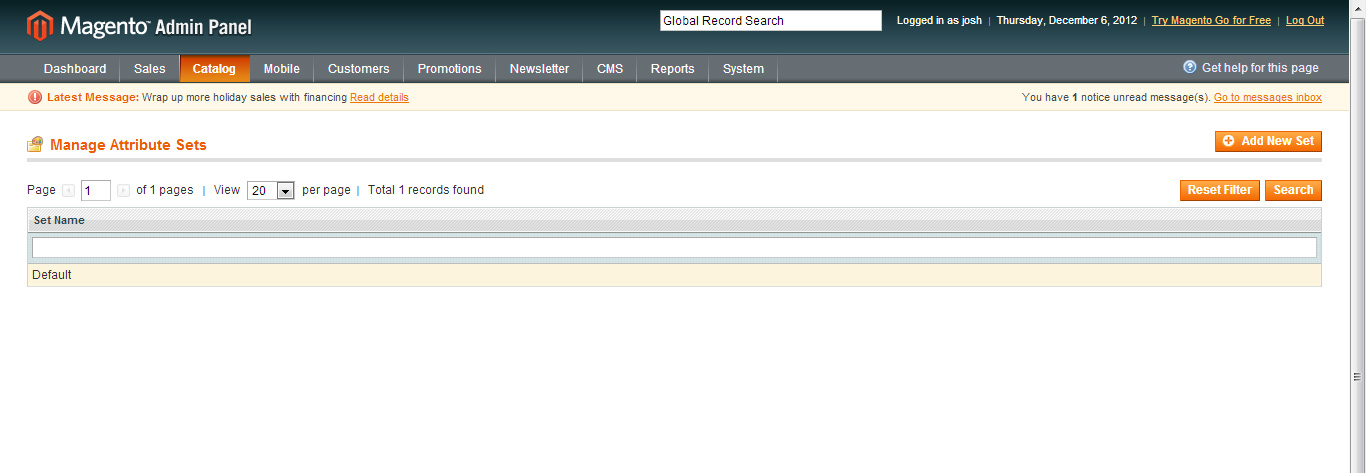
Click on the attribute set to which you wish to add the new image position.
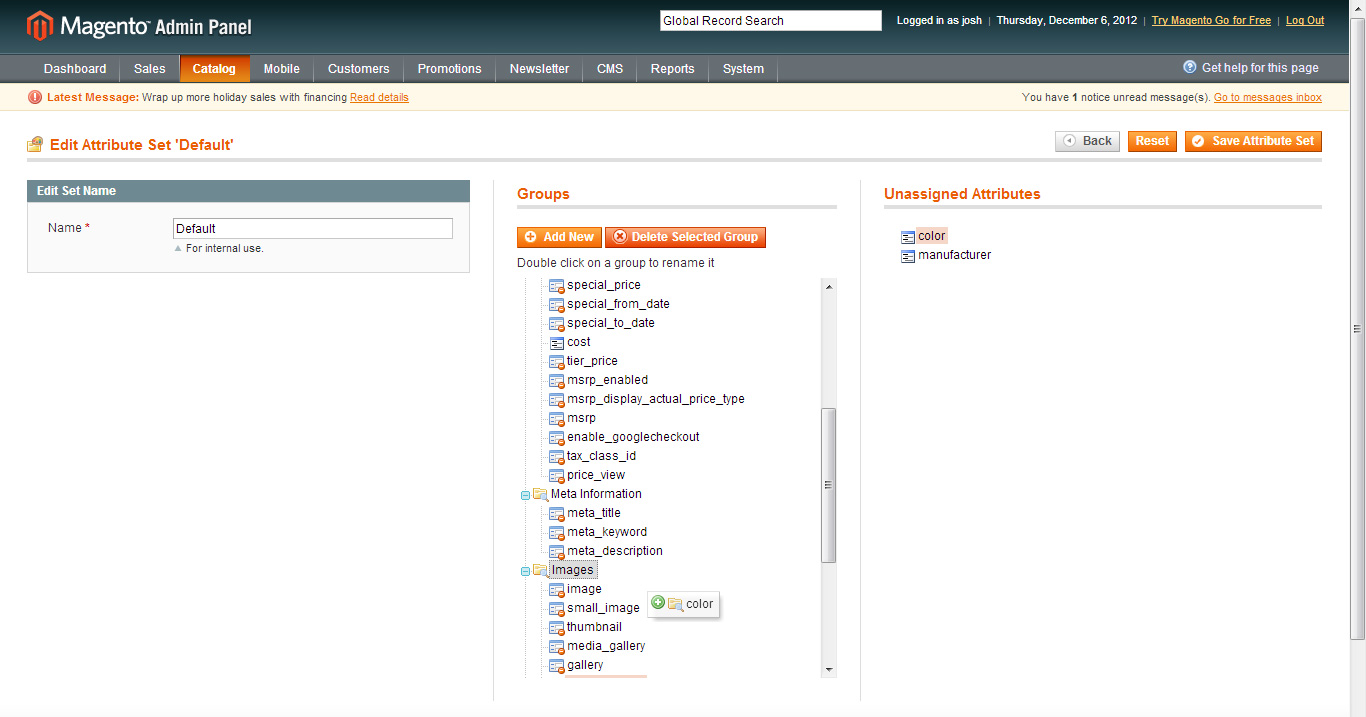
Drag the new attribute you create from the right over to the “Images” folder in the center. Then click “Save Attribute Set” on the right side.
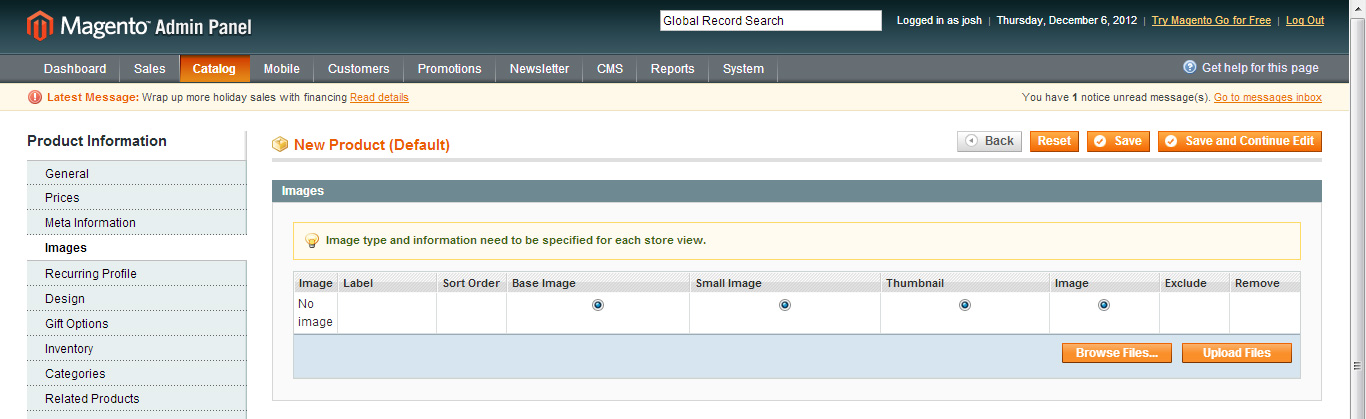
When you go to a product in Magento, you’ll now see a fourth image position, as seen above.
To use the module position in your product page, call the image like this:
<?php echo $this->helper('catalog/image')->init($_product, 'attribute_code')->resize(400,300); ?>
Replace ‘attribute_code’ with the code you entered during the process; replace 400 and 300 with the height and width you’d like for that image.
Leave us a comment with your questions and comments, or tweet us @Pixafy!